
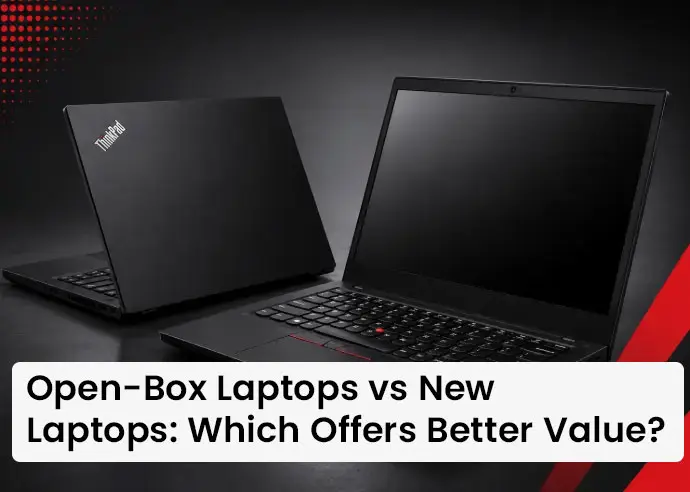
Open-Box Laptops vs New Laptops: Which Offers Better Value?
Buying a laptop is no longer simply about choosing the newest model available. With prices varying significantly across configurations and brands, buyers are increasingly looking at alternatives that provide strong performance without stretching their budgets. One option that has gained attention is the open-box laptop.
An open-box laptop can offer specifications and features similar to those found in a new laptop while potentially costing considerably less. For students, professionals, home users, freelancers, startups and businesses, comparing an open-box laptop with a new laptop can help make the purchasing decision more practical.
This guide explores the differences between open-box and new laptops, including performance, price, warranty, condition, reliability, longevity and overall value, so buyers can make a more informed decision.
What Is an Open-Box Laptop and How Is It Different from a New Laptop?
An open-box laptop is generally a device whose original packaging has been opened before it reaches the next buyer. The device may have been returned, displayed, unboxed or used for a limited period, depending on its source and condition.
Importantly, “open box” does not automatically mean “used extensively.” The condition can vary from product to product, which is why buyers should always check the individual product description, specifications and condition information before purchasing.
On Renew TechMart, open-box laptops are presented as a separate product category, with models from brands such as Lenovo and different configurations available depending on current inventory. A new laptop, on the other hand, is sold as a new product through the conventional retail channel. It generally comes in unopened original packaging and has not previously been sold or returned as an open-box unit.
Open-Box Laptop vs New Laptop Price: Which Gives Better Value for Money?
New laptops typically carry the full retail price associated with a current model, configuration, distribution channel and brand positioning. Open-box laptops can sometimes be available at lower prices because their packaging has been opened or because they have entered a different sales channel.
This price difference can become particularly useful when a buyer has a fixed budget. Instead of purchasing a new entry-level laptop with limited RAM or storage, a buyer may be able to consider an open-box model with a stronger processor, more RAM or higher storage capacity.
The real comparison, however, should not be based only on the purchase price. Buyers should compare the complete configuration, warranty, condition and expected usage period. A laptop that costs less but has significantly weaker specifications may not provide better value than a slightly more expensive alternative.
Open-Box Laptop Specifications and Performance Compared with New Models
An open-box laptop does not inherently have inferior performance simply because it is open box. Performance primarily depends on the hardware configuration. The processor, RAM, storage technology, graphics capabilities, display and other specifications determine how effectively a laptop handles different workloads.
For example, an open-box laptop with 16GB RAM and a modern Ryzen 5 processor may be more suitable for multitasking than a brand-new entry-level laptop with 8GB RAM and a lower-performance processor.
Renew TechMart's current open-box inventory includes configurations such as Lenovo IdeaPad models with Ryzen 5 processors, 8GB or 16GB RAM and SSD storage, as well as ThinkPad models with Ryzen 5 Pro and 16GB RAM.
Is an Open-Box Laptop Good for Students and Everyday Use?
For students, the most important factors are often affordability, portability and sufficient performance for everyday tasks. Assignments, online classes, presentations, browsing, document creation, video calls and basic productivity applications generally do not require the most expensive laptop available.
An open-box laptop can therefore be a practical option for students who want stronger specifications within a limited budget. For example, additional RAM or SSD storage can improve everyday multitasking and responsiveness, while a capable processor can provide enough headroom for academic applications and productivity workloads.
Students should still check battery condition, display quality, keyboard functionality, connectivity and warranty coverage before purchasing. The goal is to find a device that meets the academic workload rather than simply buying the cheapest laptop available.
Open-Box Laptops for Work From Home and Office Productivity
Remote workers and professionals often need a reliable laptop for email, video conferencing, web applications, spreadsheets, presentations and other productivity tasks. For these workloads, an open-box business or productivity laptop can potentially provide excellent value.
Many professional users do not need the latest processor generation if the existing hardware already meets their workload requirements. A well-configured laptop with adequate RAM, SSD storage and a suitable processor can handle everyday office work efficiently without requiring the additional expense associated with buying the newest model.
Open-Box Laptop Warranty vs New Laptop Warranty
Warranty coverage can significantly influence the overall value of a laptop. A new laptop may come with brand-specific warranty coverage, depending on the model and purchase channel. Open-box laptops can have different warranty arrangements, so buyers should review the specific seller's terms before purchasing.
This is an important distinction because a lower upfront price may not be attractive if the buyer receives little protection after purchase. Renew TechMart's current open-box product listings state a 1-year seller warranty along with a 10-day replacement warranty for defects or damage on arrival. For buyers, this means warranty terms should form part of the value comparison rather than being treated as a minor detail.
Open-Box Laptop Testing and Quality Checks Before Buying
Testing is an important part of building confidence in an open-box laptop. A responsible seller should evaluate key components and functions before listing a device for sale. This can include checking the display, keyboard, trackpad, ports, connectivity, storage, memory, processor performance and other essential functions.
The exact inspection process can vary between sellers and products. For buyers, the practical takeaway is to look for transparency. A detailed product page that clearly identifies the processor, RAM, storage, display, model and product condition gives buyers more information with which to make a decision. It is also useful to understand what warranty or replacement support is available if a defect becomes apparent after delivery.
Open-Box Business Laptops and Professional Workloads
Business laptops can be particularly interesting for professionals because they often prioritise durability, ergonomics, connectivity and productivity. Models from business-focused ranges may include features such as comfortable keyboards, practical port selection and professional-grade designs.
An open-box business laptop can therefore offer a different value proposition from a brand-new entry-level consumer laptop. Instead of comparing only age or packaging status, buyers should compare the intended purpose of the machine.
For office productivity, a capable business laptop with adequate RAM and SSD storage may offer more practical value than a newer but lower-specification device.
Open-Box Laptops Can Provide More Specifications for Your Budget
One of the strongest arguments in favour of open-box laptops is the possibility of getting more hardware within the same budget. Suppose a buyer has a fixed budget for a laptop. A new laptop at that price might offer a basic configuration, while an open-box alternative could potentially provide more RAM, greater storage or a stronger processor.
That additional capability can make a meaningful difference to the user experience. More RAM can support multitasking. SSD storage can improve responsiveness. A stronger processor can handle more demanding workloads. A better display can improve comfort for users who spend many hours working on the device.
Open-Box vs New Laptop for Gaming and Creative Work
Gaming and professional creative workloads require additional consideration. Gaming laptops often depend heavily on dedicated graphics, cooling systems, processor performance and display characteristics. Video editing, 3D rendering, animation and other demanding workloads can also require specific hardware configurations.
An open-box laptop can still be suitable for these applications if its specifications meet the software and performance requirements. However, buyers should pay particular attention to GPU specifications, RAM capacity, SSD storage, cooling performance and display characteristics rather than focusing primarily on the discount.
Renew TechMart: Open-Box Laptops with Value, Choice and Buyer Support
For buyers exploring open-box laptops in India, Renew TechMart provides a dedicated selection of open-box and refurbished technology products across different requirements and budgets. Its current online catalogue includes open-box laptops from brands such as Lenovo, with configurations ranging from everyday productivity models to higher-specification systems. Examples include Lenovo IdeaPad and ThinkPad models with Ryzen processors, 8GB or 16GB RAM and SSD storage.
A key advantage is the ability to compare individual product specifications rather than purchasing based only on the broad “open-box” category. Product listings provide details such as processor, RAM, storage, display size, display type, touch capability and product quality.
Renew TechMart also provides buyer-oriented support through warranty and replacement terms on its listed open-box products. Current listings specify a 1-year seller warranty and a 10-day replacement warranty for defects or damage on arrival.
The platform also offers pan-India shipping and a wider range of technology products, including laptops, desktops, monitors, servers, printers, networking equipment and accessories. For buyers who want the performance and specifications they need without automatically paying full new-product pricing, this combination of product choice, detailed specifications, open-box options and seller support can make the purchasing decision more practical.
Conclusion
If value means getting the latest model, completely untouched packaging and the standard new-product buying experience, a new laptop may be the better choice. But if value means getting capable hardware, useful specifications, reliable support and a practical price, an open-box laptop can be a compelling alternative.
Compare the processor, RAM, storage, display, battery condition, physical quality, warranty and seller support. Consider how the laptop will actually be used and whether the specifications are sufficient for the expected workload.
For students, professionals, home users, startups and businesses, an open-box laptop can sometimes provide the opportunity to buy better specifications without increasing the technology budget significantly. Ultimately, the smartest laptop purchase is not always the newest one. It is the one that delivers the right performance, condition, support and overall value for the way you actually work, study and live.

 Call Now